
Tips for Creating Your Lead Magnet Quiz with the Interact Quiz Builder
Filed under //


As a Showit website designer, I’m always looking for great tools to recommend to my clients to help their business grow. And utilizing a lead magnet to build your email list is one of the smartest strategies out there. One of my favorite ways to do this is by creating a quiz with the Interact quiz builder. In this post, you’ll learn how to plan, write, and design a high-converting lead magnet quiz using the Interact quiz builder — without overcomplicating the tech.
Why Use a Quiz as a Lead Magnet?
There are several reasons why I recommend using a quiz as your lead magnet. They are:
- Opt-in rates are significantly higher than other lead magnets (up to 40% on average!).
- You can easily segment your audience right from the moment they join your list, which makes it simple to send more targeted and relevant emails later.
- They’re fun for your audience! As humans, we love to learn about ourselves, so we’re naturally drawn to quizzes. Quizzes are entertaining for the participant!
Okay, so here’s my breakdown of how to get started creating your quiz.
First: Choose Your Quiz Goal
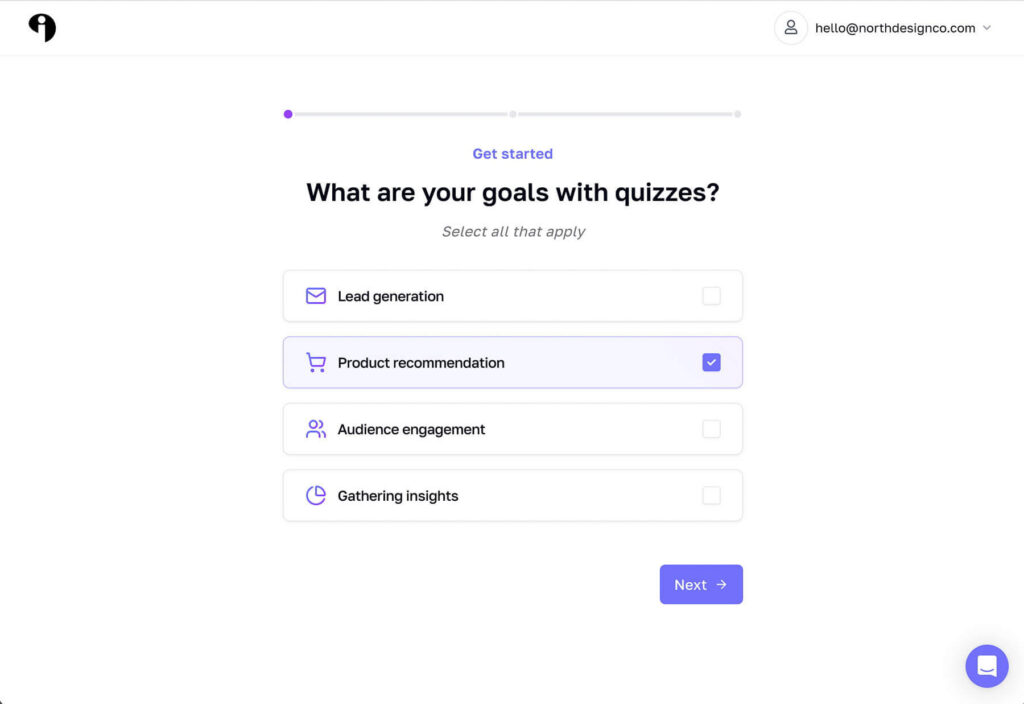
Start by choosing a topic that resonates with your audience. For example, my quiz helps business owners choose the website template that’s the perfect fit for their business. Choosing a template is overwhelming, so I know that my quiz helps them narrow it down and reduce the decision fatigue.
Next, choose the style of quiz you’ll create. Depending on what your goals are for your quiz, you’ll choose between:
- A Personality quiz
- A Trivia quiz
- A Recommendation quiz
Mine is sort of a combination of two. It’s primarily a recommendation quiz, but the results also connect to the quiz taker’s personality, which adds an extra layer of entertainment.
Start Writing
Always start writing your quiz in a document first, such as Google Docs or Word, rather than jumping straight into the quiz builder. (Just like when you’re working on your website—it’s so much easier to write your copy outside of Showit before you move into design!)
You can also use Interact’s AI tool to help brainstorm and build your quiz content.
Here are some more best practices as you’re creating your quiz:
Establish your result types first, then work backward. This way, you’ll know what kinds of questions will naturally guide participants toward the right results.
Keep it short. Stick to 3–5 result types and 10 questions or less. This ensures your audience stays engaged and actually completes the quiz! Keep the tone casual and fun. Remember, the goal of your quiz is to entertain, while also giving valuable insight or help.
If you need help writing your quiz questions, answers, and/or results pages, consider working with a copywriter who is familiar with your brand voice. We highly recommend Rise Copy Co., Dianna helped us write the copy for our template shop quiz.
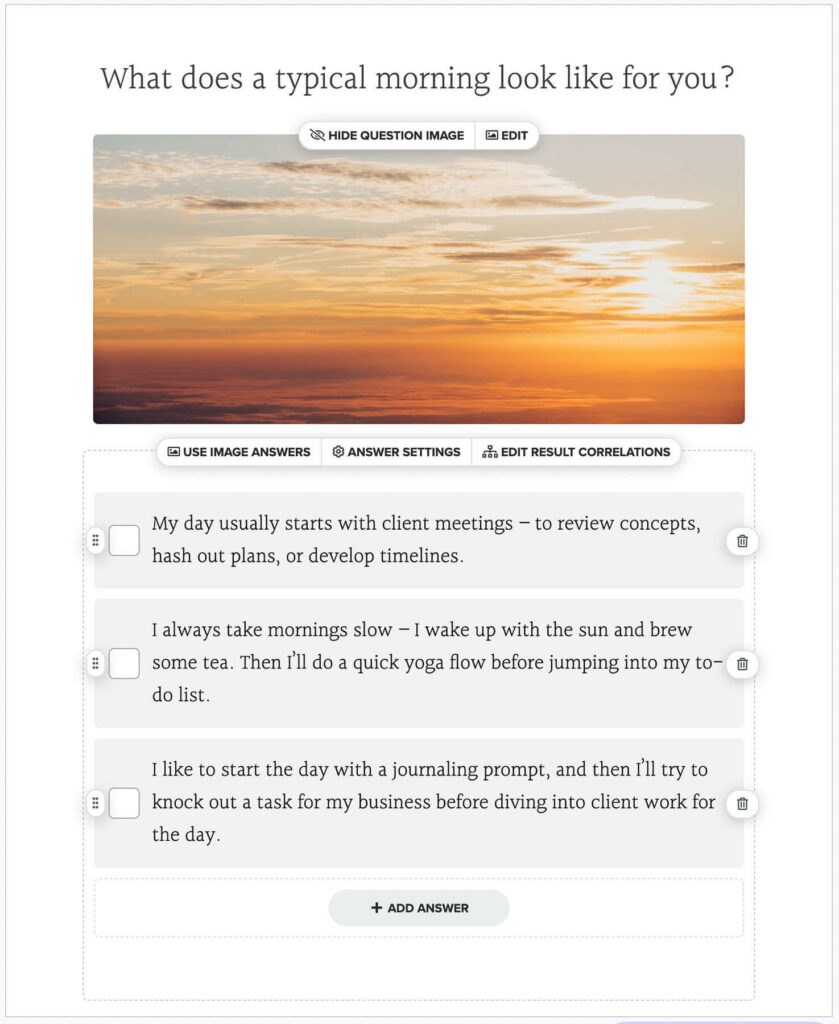
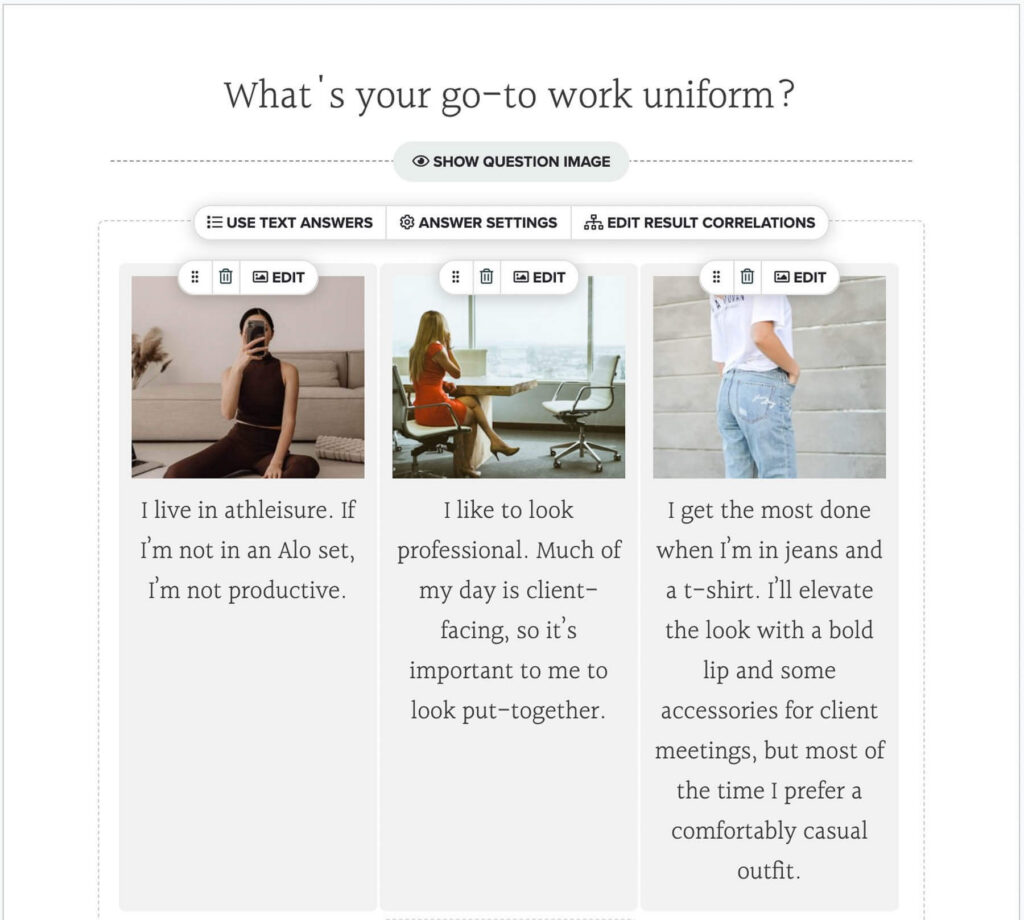
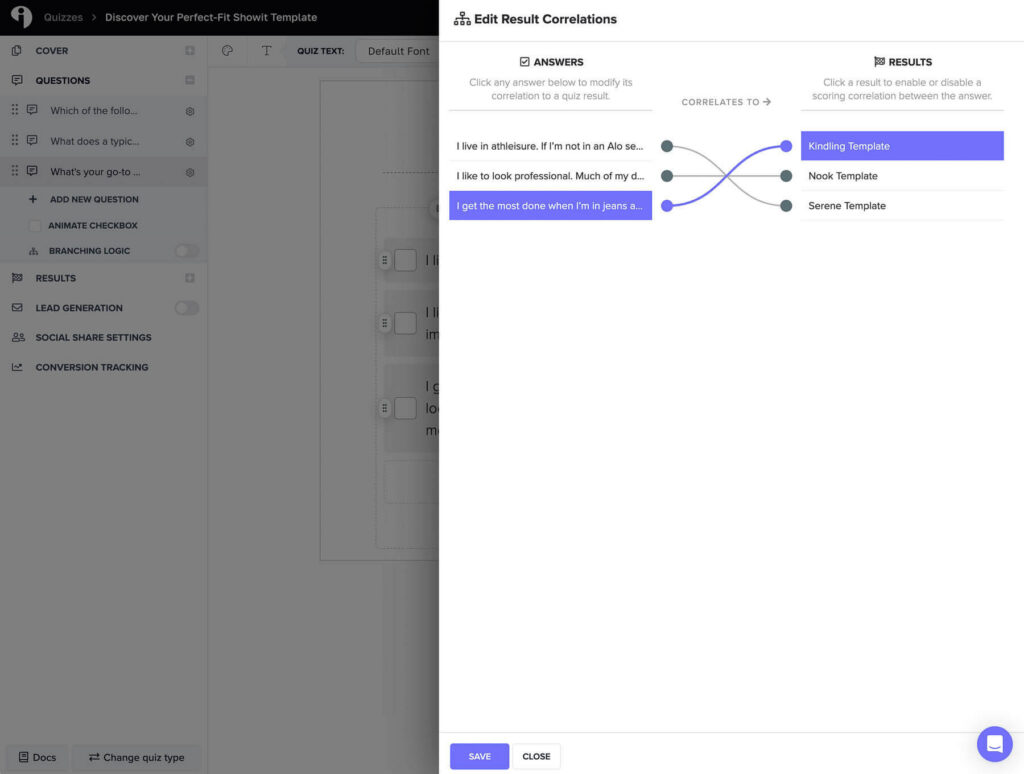
Design Your Quiz in the Interact Quiz Builder
Just like working in Showit, Interact’s interface is intuitive and simple to use. It’s straightforward, and you’ll quickly find your way around.
When designing your quiz, here are some things to keep in mind:
- Use your branding. If you’ve invested in professional brand design, this is the perfect chance to bring those visuals into your quiz.
- Make it accessible. Choose contrasting colors (especially for buttons) to keep it user-friendly for everyone.
- Add imagery. Incorporate photos to enhance the story your quiz is telling.
- Double-check logic. Make sure each question leads to the right result type, then test your quiz a few times before you launch.
When designing your results pages, you have a few options. You can either design the results pages directly within Interact, or you can set the quiz to redirect to a URL for each result.
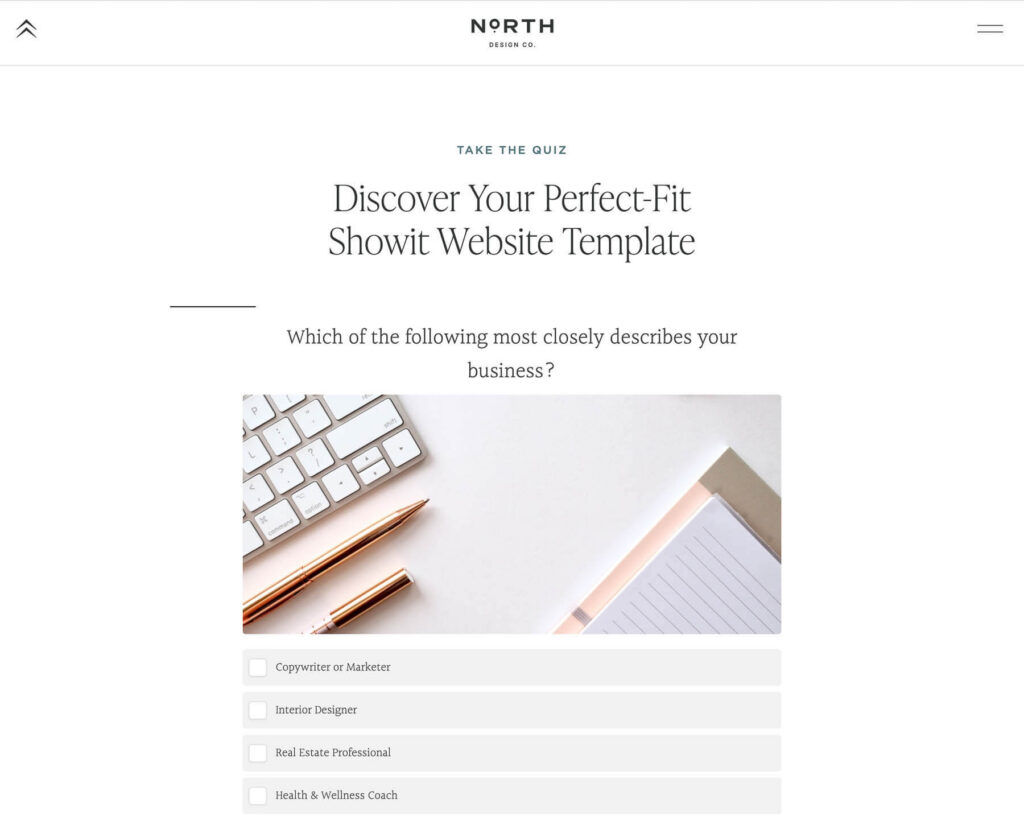
This is a nice option to create a more in-depth experience for the participant. And you can easily do this within Showit (or your website platform) by adding a new page to your site for each result type. This gives you a bit more control over the flow and gives you the ability to add more content if you’d like. Check out one of my quiz results pages, custom-designed in Showit.
Launch Your Quiz!
Now that the hard part is over, it’s time to actually launch your quiz!
Before you do, though, turn on the opt-in option. Interact recommends turning this setting on, but not making it a requirement. Though this seems counterintuitive for growing your list, the research has shown that not making it a requirement to enter your email address actually leads to collecting more emails, believe it or not.
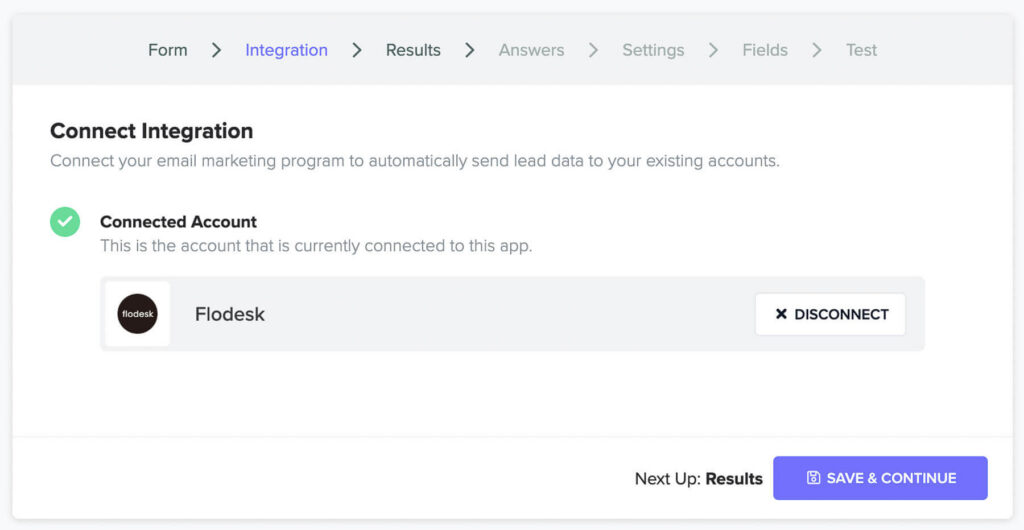
Next, connect your email marketing provider. Interact integrates seamlessly with major platforms, including Flodesk, which makes the setup process super quick and easy.
Now it’s time to hit publish!
And once you do, promote your quiz everywhere. I recommend adding it to a banner on your website or creating a pop-up for it, and dedicating a section of your Homepage to your new quiz. Also, share your quiz regularly on social media and Pinterest to encourage ongoing traffic.
Take It A Step Further
Since most of your quiz participants will become new subscribers on your email list, set up a quick welcome email sequence to introduce them to you and your business and give them a reason to stick around!
Then make the most of your growing email list by sending regular newsletters to build trust and connection, and targeted sales emails when you’re ready to promote your offers.
Quick Checklist: Build + Launch Your Lead Magnet Quiz
Use this as your “don’t forget anything” roadmap before you publish.
- Pick a topic with a clear outcome
Choose something your audience wants help deciding (a recommendation) or discovering (a personality-style result). - Define your result types first
Aim for 3-5 results max. Write a 1-2 sentence description for each result so your quiz stays focused and strategic. - Draft your questions in a doc
Write 6-10 questions in Google Docs first. Keep the tone casual, easy, and consistent with your brand voice. - Match answers to results (logic check)
Assign each answer to a result type and make sure the pathway actually makes sense. If you’re unsure, simplify. - Build it inside the Interact quiz builder
Input your questions + results, then test the quiz start-to-finish at least 3 times. - Design for on-brand conversion
Add brand colors + fonts, clear button contrast, and a few images to keep it engaging (without getting cluttered). - Set up your opt-in (smartly)
Turn on the opt-in option, but consider keeping it optional to increase completion rates. - Connect your email platform
Integrate your provider (like Flodesk) so quiz takers get tagged/segmented automatically. - Publish + promote everywhere
Add it to your website banner, homepage section, pop-up, Instagram link-in-bio, and Pinterest pins. - Follow up with a welcome sequence
Send a short automated sequence that delivers value, builds trust, and guides them to your next step.
Interact Quiz Review
I love Interact because it’s so user-friendly, even if you’re not a designer. They have tons of helpful tutorials and resources, plus seamless integrations with popular email platforms like Flodesk. For me, it’s the go-to choice for building quizzes that are beautiful, strategic, and simple to manage.
FAQ: Interact Quiz Builder + Lead Magnet Quizzes
Is the Interact quiz builder easy to use for beginners?
Yes, Interact is super beginner-friendly. The Interact quiz builder walks you through setup step-by-step, and the interface is intuitive even if you’re not “techy.”
How many questions should my lead magnet quiz have?
Keep it short and snackable: 6–10 questions is the sweet spot. The goal is completion, not complexity.
How many quiz results should I create?
Aim for 3-5 result types. Too many results can feel overwhelming and makes your logic harder to manage.
Should I require an email opt-in to see quiz results?
Interact often recommends not requiring it. Optional opt-ins can actually lead to higher completion and more emails overall — counterintuitive, but effective.
Can I segment my email list using Interact?
Yes! One of the biggest benefits of the Interact quiz builder is its segmentation capabilities. You can tag subscribers based on their quiz results, so your follow-up emails feel personalized.
Can I embed an Interact quiz on a Showit website?
Absolutely. You can embed your Interact quiz directly on a Showit page or link out to it—both work great depending on your preferred user experience.
Should I host my results pages in Interact or on my website?
Either works. Hosting results on your website (like Showit) gives you more control and space to add CTAs, images, and deeper content for each result.
Final Thoughts
Quizzes are one of the best ways to grow your email list with engaged subscribers. As a Showit designer, I’ve found Interact to be a great tool that makes the whole process enjoyable, and I highly recommend it!
Need help embedding your Interact quiz into Showit?
If the tech side is slowing you down, I’ve got you. I’ll help you embed your quiz cleanly, make it look on-brand, and ensure the opt-in + integration is working the way it should, so you can launch with confidence. This one of many different types of projects we offer on a Design Day.
next post
prev post